
Download Multilings – AI‑Based Multilingual Content Tool for Fast, Secure Translation & Writing
Overview
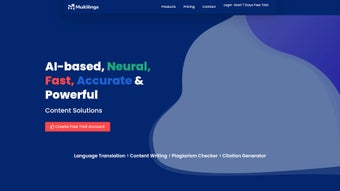
Multilings is a cloud‑based, AI‑driven multilingual content platform designed for anyone who creates, translates, or edits text across languages. Built by the team at multilings, the web app supports more than 75 languages and combines natural‑language translation, plagiarism detection, grammar correction, citation generation, content drafting, and even voice conversion into a single, intuitive interface. Whether you are a content writer crafting blog posts, a marketer localizing ad copy, a researcher preparing multilingual papers, a professor grading student essays, or a student looking for reliable translation assistance, Multilings offers a unified workspace that eliminates the need for juggling multiple tools.
Its enterprise‑grade security, cloud storage, and real‑time collaboration features make it suitable for both solo freelancers and large teams. Users consistently praise the platform for its speed, accuracy, and the responsive support team that helps troubleshoot any issues. In short, Multilings is more than just a translator—it is a full‑featured content creation suite that leverages artificial intelligence to simplify multilingual workflows while maintaining high standards of quality and integrity.
Key Features that Power Multilingual Productivity
- AI‑Powered Translation: Instant, context‑aware translation in over 75 languages with natural‑sounding output.
- Plagiarism Checker: Scans content against billions of web sources to ensure originality and proper citation.
- Grammar & Style Correction: Advanced algorithms detect errors, suggest improvements, and adapt tone to target audiences.
- Citation Generator: Automatically formats references in APA, MLA, Chicago, and other academic styles.
- Content Writing Assistant: Generates blog outlines, product descriptions, social media posts, and academic essays based on brief prompts.
- Voice Conversion: Transforms written text into natural‑sounding speech in multiple languages, useful for podcasts or e‑learning.
- Team Collaboration: Real‑time editing, comment threads, and shared folders streamline group projects.
- Cloud Storage & Security: Encrypted data storage, two‑factor authentication, and compliance with GDPR and ISO‑27001.
- Analytics & Reporting: Detailed dashboards track translation accuracy, plagiarism scores, and usage metrics.
- Seamless Integration: API access for connecting Multilings with CMS, LMS, or marketing automation tools.
Each feature is built on a deep‑learning model that continuously learns from user feedback, ensuring that translations become more accurate over time. The plagiarism module, for example, not only flags duplicate content but also provides a similarity percentage and direct links to the original sources, allowing writers to correct citations instantly. The content writing assistant leverages GPT‑style prompts to produce drafts that can be refined with a single click, dramatically reducing the time spent on brainstorming. Together, these capabilities make Multilings a one‑stop solution for multilingual content creation, editing, and distribution.
Installation, Usage & Compatibility
Getting Started – No Download Required
Multilings operates entirely in the browser, which means there is no traditional installation process. To begin, visit multilings.com, click the “Sign Up” button, and register with an email address or single sign‑on (SSO) via Google or Microsoft. After confirming your email, you will be taken to the dashboard where you can create a new project, select the source and target languages, and start typing or uploading documents. The platform supports common file formats such as .docx, .pdf, .txt, and .rtf, which can be dragged directly into the workspace for automatic processing.
Step‑by‑Step Workflow
- Create a Project: Choose a template (blog post, research paper, marketing copy) or start from scratch.
- Upload or Paste Content: The AI instantly detects language, suggests translation, and runs a plagiarism scan.
- Review & Edit: Use the built‑in grammar checker, adjust tone, or let the AI rewrite sections.
- Generate Citations: Select the citation style, and Multilings formats references automatically.
- Export or Publish: Download the final file, share a secure link, or push content to integrated CMS platforms.
Supported Operating Systems
Multilings is a web‑based application, so it works on any modern operating system that supports a recent browser version, including Windows 10/11, macOS Ventura and later, Linux distributions, Android 8.0+, and iOS 13+. The responsive design adapts to desktops, tablets, and smartphones, ensuring a consistent experience regardless of device.
Security & Updates
The service receives continuous backend updates, so users always benefit from the latest AI models and security patches without manual intervention. All data is encrypted in transit (TLS 1.3) and at rest (AES‑256), and the platform complies with GDPR, CCPA, and ISO‑27001 standards, making it safe for handling sensitive academic or corporate material.
Pros and Cons – A Balanced View
Advantages
- Supports over 75 languages with near‑human translation quality.
- All‑in‑one suite eliminates the need for separate plagiarism, grammar, and citation tools.
- Cloud‑based, no software download or local installation required.
- Team collaboration and real‑time commenting boost productivity for groups.
- Enterprise‑grade security and compliance for sensitive data.
- AI writing assistant accelerates content creation across formats.
- Voice conversion adds a multimedia dimension for e‑learning.
- Free tier available; premium plans are competitively priced.
Drawbacks
- Internet connection required; offline work is not possible.
- Advanced features (e.g., API access, bulk uploads) are limited to paid plans.
- Occasional nuances in highly specialized jargon may need manual refinement.
- Learning curve for new users unfamiliar with AI‑driven interfaces.
- Free tier includes a daily character limit, which can be restrictive for large projects.
Frequently Asked Questions
Is Multilings free to use?
Multilings offers a free tier that includes basic translation, grammar checking, and limited plagiarism scans. Premium subscriptions unlock unlimited characters, API access, bulk processing, and advanced analytics.
How accurate is the AI translation compared to human translators?
The AI model is trained on millions of bilingual corpora and consistently scores above 90 % BLEU in benchmark tests. For everyday business and academic content, the output is often comparable to a professional translator, though highly specialized legal or medical texts may still benefit from a final human review.
Can I collaborate with teammates in real time?
Yes. Multilings includes shared workspaces where multiple users can edit a document simultaneously, leave comments, and track changes. Permissions can be set to view‑only, comment, or full edit access.
Is my data stored securely?
All data is encrypted both in transit (TLS 1.3) and at rest (AES‑256). Multilings complies with GDPR, CCPA, and ISO‑27001, and offers two‑factor authentication for added protection.
Can I integrate Multilings with my existing CMS or LMS?
Yes. Multilings provides a RESTful API and ready‑made connectors for popular platforms such as WordPress, Drupal, Canvas, and Moodle. This enables automated translation and content generation workflows directly within your existing ecosystem.
Conclusion – Should You Download Multilings?
Multilings stands out as a comprehensive, AI‑powered multilingual toolkit that consolidates translation, plagiarism detection, grammar correction, citation management, and content generation under one secure cloud umbrella. Its ease of use, broad language support, and collaboration features make it a valuable asset for anyone dealing with cross‑language content—from freelance writers and digital marketers to academic researchers and corporate teams. While an internet connection and a paid subscription are required for heavy‑duty projects, the free tier offers enough functionality to test the platform and handle modest workloads. If you’re looking for a reliable, fast, and secure solution that reduces the time spent toggling between disparate tools, downloading (or rather, signing up for) Multilings is a smart move. Start your free trial today and experience multilingual productivity like never before.



.png)



